In 2026, building a professional website is easier than ever. Thanks to modern website builders, AI tools, and drag-and-drop platforms, anyone can create a fully functional website without writing a single line of code.
Whether you are a blogger, small business owner, freelancer, or entrepreneur, a website helps you build credibility, reach more people, and grow your brand online.
In this complete guide, you will learn how to build a professional website without coding, which tools to use, and the steps required to launch your site successfully.
Why Build a Website Without Coding?
Earlier, creating a website required knowledge of programming languages like HTML, CSS, and JavaScript. But today, no-code website builders make it possible for beginners to design websites quickly and easily.
Benefits of No-Code Website Builders
1. Easy to Use
Most website builders offer drag-and-drop editors, allowing users to design pages visually.
2. Saves Time
Instead of spending months learning coding, you can build a website in just a few hours.
3. Affordable
No-code platforms are much cheaper than hiring a professional developer.
4. Professional Designs
Modern templates help you create beautiful websites that look professional and modern.
5. Built-in SEO Tools
Many platforms include SEO features that help your website rank higher in search engines.
Best No-Code Website Builders in 2026
Here are some of the most popular platforms for building websites without coding.
1. WordPress (Recommended)
WordPress is the most popular website platform in the world. It powers more than 40% of websites globally.
With WordPress, you can easily build blogs, business websites, portfolios, and even eCommerce stores.
Features
- Thousands of themes
- Powerful SEO plugins
- Full customization
- Large community support
If you want complete control and flexibility, WordPress is the best option.
2. Wix
Wix is a beginner-friendly website builder that offers drag-and-drop design tools.
Features
- AI website builder
- Hundreds of templates
- Built-in hosting
- Easy customization
Wix is ideal for beginners who want to create a website quickly.
3. Squarespace
Squarespace is known for its modern and stylish templates.
Features
- Beautiful design templates
- Built-in SEO tools
- Blogging features
- eCommerce support
It is a great option for creatives, photographers, and designers.
4. Shopify
If you want to create an online store, Shopify is one of the best platforms.
Features
- Easy product management
- Secure payment options
- Mobile-friendly design
- Marketing tools
Shopify makes it simple to start selling products online.
Step-by-Step Guide to Build a Website Without Coding
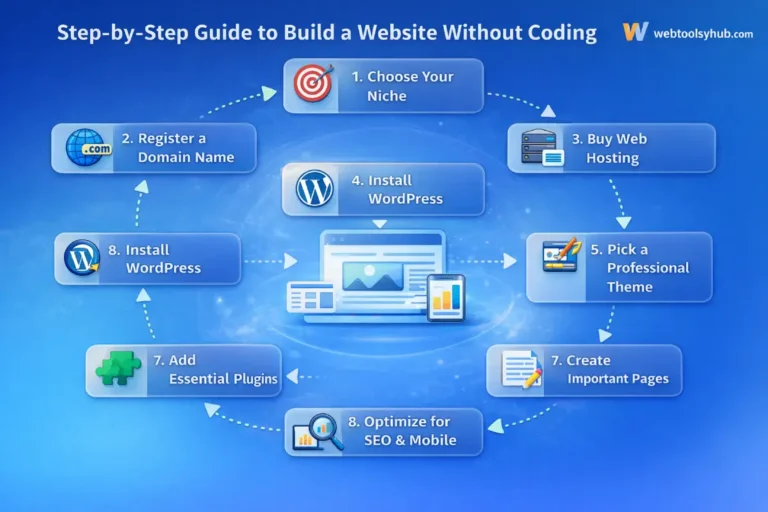
Follow these steps to create your website easily.
Step 1: Choose Your Website Niche
Before creating your website, decide what your website will be about.
Some popular website niches include:
- Blogging
- Technology
- Affiliate marketing
- Online tools
- Business websites
- Portfolio websites
Choosing a niche helps you focus on a specific audience.
Step 2: Register a Domain Name
Your domain name is your website address.
Example:
- yourwebsite.com
- myblogsite.com
Tips for choosing a good domain name:
- Keep it short
- Make it easy to remember
- Avoid numbers and hyphens
- Use relevant keywords
A good domain name improves your brand identity.
Step 3: Buy Web Hosting
Web hosting is where your website files are stored.
A good hosting provider ensures your website loads fast and stays online.
Important features to look for in hosting:
- Fast loading speed
- High uptime
- Good customer support
- Free SSL certificate
- Easy WordPress installation
Reliable hosting improves website performance and SEO.
Step 4: Install WordPress
Most hosting providers offer one-click WordPress installation.
Once installed, you can access your website dashboard and start building pages.
From the dashboard, you can:
- Install themes
- Add plugins
- Create blog posts
- Manage website settings
Step 5: Choose a Professional Theme
A theme controls the design and layout of your website.
Choose a responsive theme that works well on both desktop and mobile devices.
Popular WordPress themes include:
- Astra
- GeneratePress
- OceanWP
- Kadence
A good theme improves user experience and website speed.
Step 6: Install Important Plugins
Plugins add extra features to your website.
Some essential WordPress plugins include:
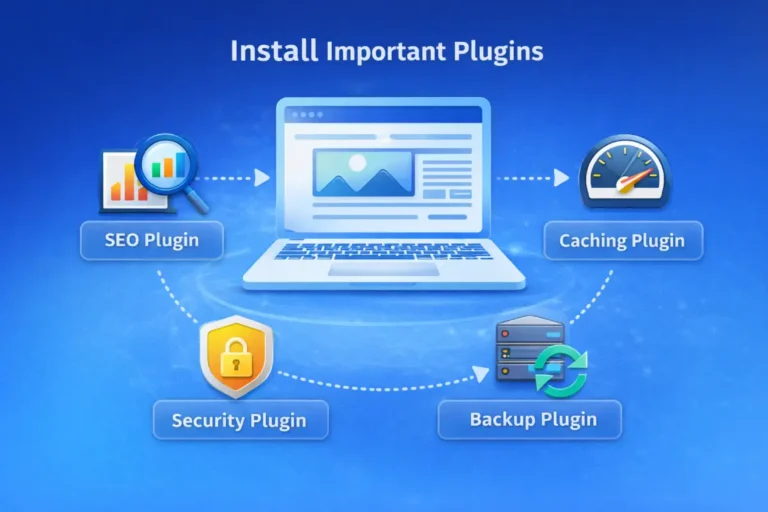
SEO Plugin
Helps your website rank better in search engines.
Example features:
- Keyword optimization
- Meta title editing
- Sitemap generation
Caching Plugin
Improves website speed and performance.
Security Plugin
Protects your website from hackers and malware.
Backup Plugin
Automatically saves copies of your website.
Installing the right plugins improves website performance and safety.
Step 7: Create Important Pages
Every professional website needs some essential pages.
Home Page
The main page that introduces your website and content.
About Page
Tells visitors about your website, mission, and story.
Contact Page
Allows users to contact you easily.
Blog Page
Displays all your blog posts.
These pages make your website look professional and trustworthy.
Step 8: Optimize Your Website for SEO
Search Engine Optimization (SEO) helps your website appear in search engine results.
Basic SEO tips:
- Use keywords in titles and headings
- Write high-quality content
- Optimize images
- Improve page loading speed
- Create internal links
SEO helps drive free organic traffic to your website.
Step 9: Make Your Website Mobile Friendly
Most internet users browse websites using smartphones.
Ensure your website is:
- Mobile responsive
- Fast loading
- Easy to navigate
A mobile-friendly website improves both user experience and search rankings.
Step 10: Publish Content Regularly
Content is the most important part of a successful website.
Publishing useful blog posts regularly helps attract visitors and grow your audience.
Popular content types include:
- Tutorials
- Product reviews
- Guides
- Comparisons
- Industry news
High-quality content builds authority and trust.
Common Mistakes to Avoid
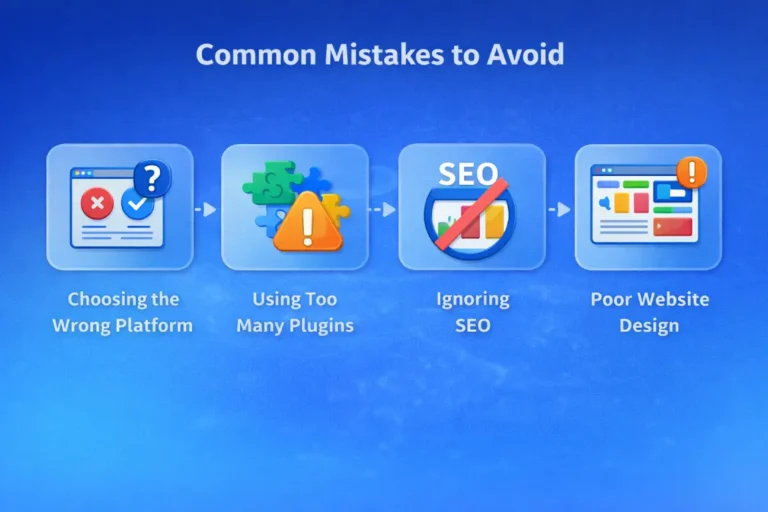
When building a website without coding, avoid these common mistakes:
Choosing the wrong platform
Some platforms have limited customization.
Using too many plugins
Too many plugins can slow down your website.
Ignoring SEO
Without SEO, your website may not get traffic.
Poor website design
A cluttered design can drive visitors away.
Avoiding these mistakes helps your website grow faster.
Future of No-Code Websites
The no-code movement is growing rapidly. AI and automation tools are making website creation easier than ever.
Future trends include:
- AI website builders
- Automated content creation
- Voice search optimization
- Advanced drag-and-drop tools
These technologies will allow anyone to build powerful websites without technical skills.
FAQ
Can I build a website without coding in 2026?
Yes, modern no-code tools and website builders allow anyone to create a professional website easily.
What is the best platform to build a website without coding?
WordPress, Wix, and Squarespace are among the best no-code website builders.
Is WordPress beginner-friendly?
Yes, WordPress is beginner-friendly with themes and plugins that require no coding.
How much does it cost to build a website without coding?
It can cost as little as $50–$100 per year depending on hosting and domain.
Final Thoughts
Building a professional website without coding is now simple and affordable. With modern website builders and tools, anyone can create a beautiful and functional website in a short time.
By choosing the right platform, optimizing your website for SEO, and publishing valuable content, you can build a strong online presence and grow your brand.
If you want to start a blog, business website, or online store, now is the perfect time to build your website without coding.
At WebToolyHub, we help businesses navigate this journey — from websites to web applications to custom software — always starting with the problem, not the technology.

Niranjan Raj
Founder & Creative Director
Passionate about building digital solutions that serve real business needs.